


{{ secondMenu.name }}






Navigate to SSLVPN > Logging In. The Logging In Page is as shown in the figure below:
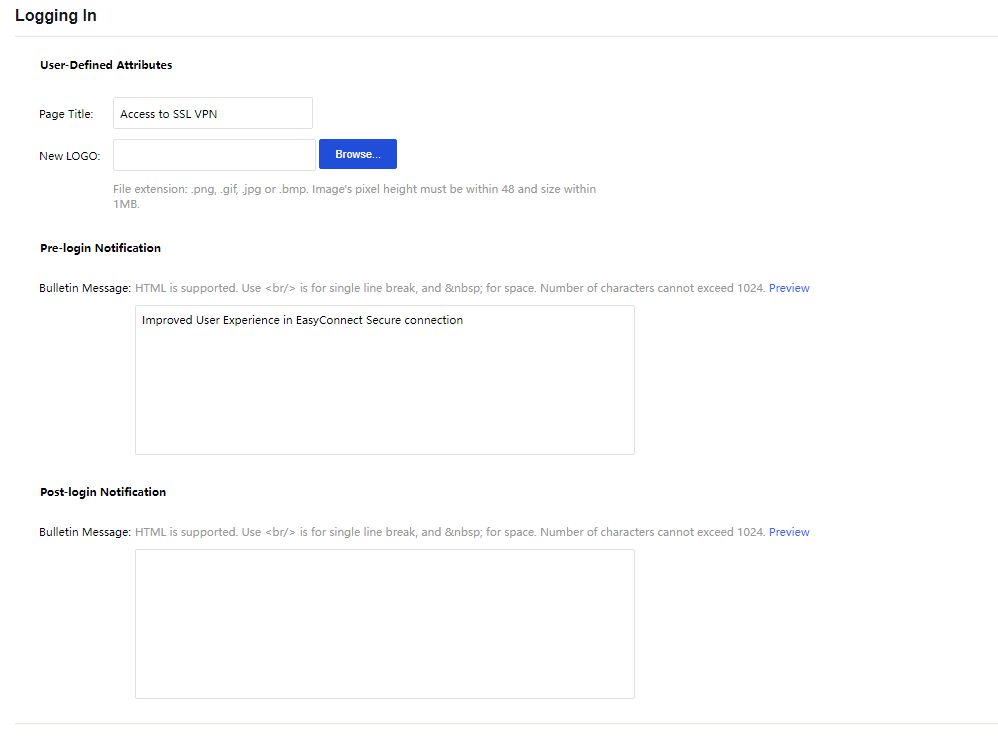
Page Title: Specifies the caption of the login page.
New Logo: Upload a new logo when accessing the SSL VPN page.
Pre-login Notification:
Bulletin Message: Enter themes age into the textbox. This bulletin message will be seen on the portal before the user login to the SSL VPN. Maximum 1024 characters are allowed, and HTML is supported. To preview the bulletin message, click Preview.
Post-login Notification:
Bulletin Message: Enter themes age into the textbox. This bulletin message will be seen on the portal after the user login to the SSL VPN. Maximum 1024 characters are allowed, and HTML is supported. To preview the bulletin message, click Preview.


 {{ $t('index.defaultHeader.chromeBrowserTip') }}