


{{ secondMenu.name }}






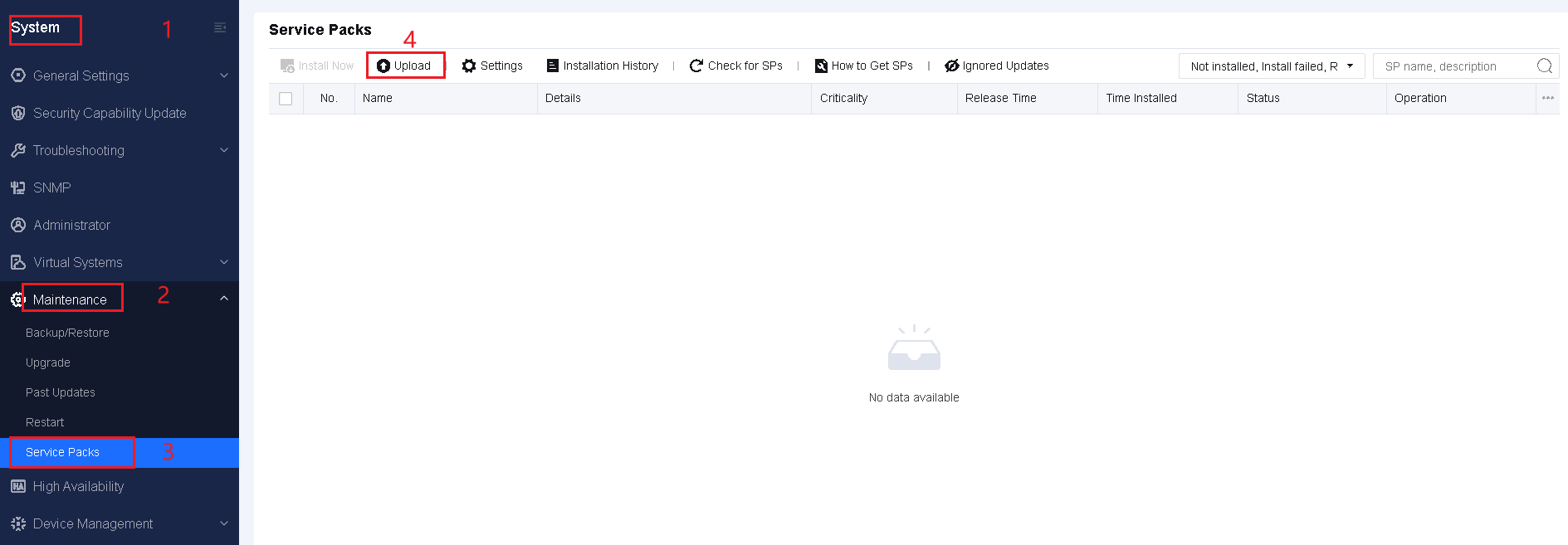
Step 1.Log in to the Network Secure console, choose System > Maintenance > Service Packs, and upload the pre-upgrade check package. After the package is uploaded, click Install.

Step 2.After the installation is complete, check the result. If the installation is successful, you can upgrade to Network Secure 8.0.106. If it fails, troubleshoot issues based on the error message, and reinstall the package until the installation is successful. You can contact technical support for help if needed.
You can upgrade to Network Secure 8.0.106 if Installed is displayed in the Status column, as shown in the following figure:



 {{ $t('index.defaultHeader.chromeBrowserTip') }}